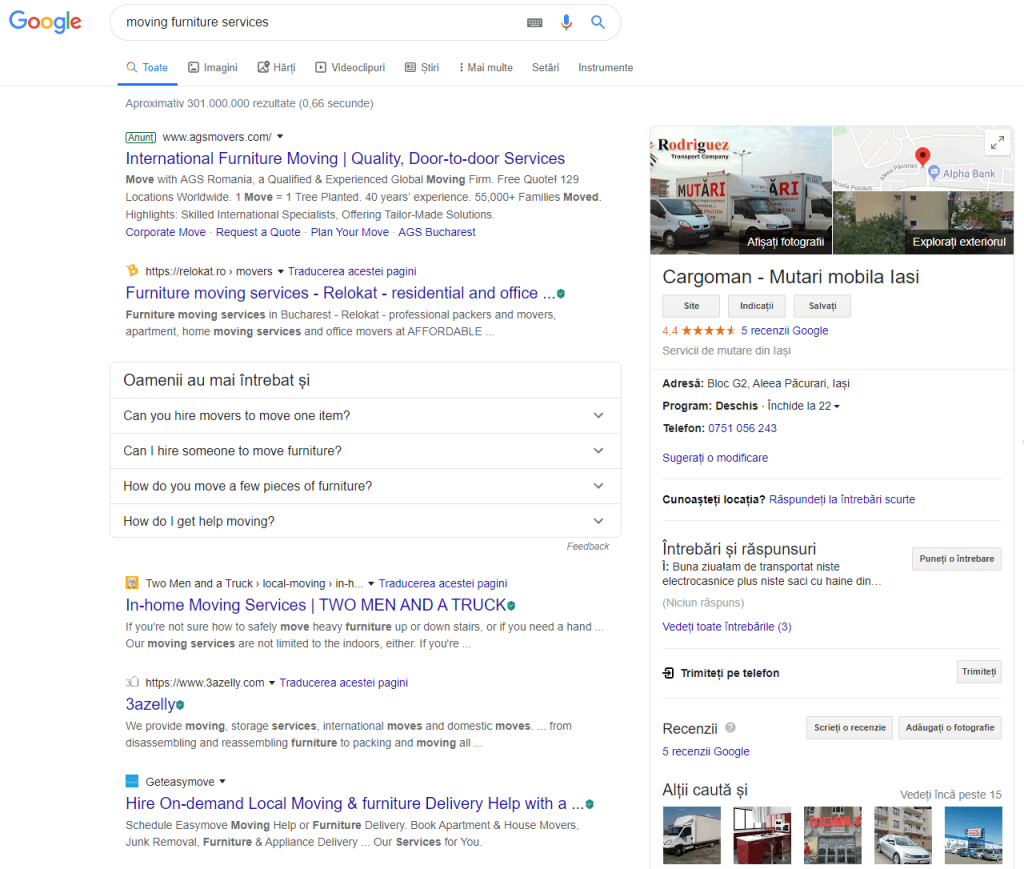
Not long ago, Google has released version 68 of the Chrome Web Browser. In this version, websites that don’t run on HTTPS will be marked as Not Secure. This might lead to the following question: does Google value websites with SSL certificates more? Will they rank better? Is it worth to make the switch?
In this article (Updated 2019) you’ll find out whether SSL certificates matter for SEO or not. You’ll also learn exactly how to migrate your website from HTTP to HTTPS without suffering any ranking drops. Yes, you heard that right. If you’re not careful, you can mess up your search engine rankings!
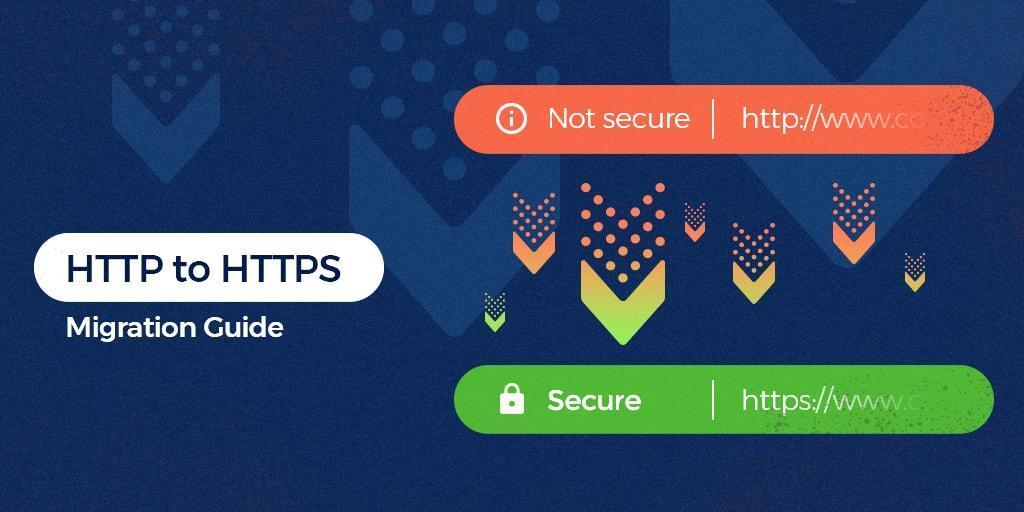
Warning: Switching a website from HTTP to HTTPS the wrong way can heavily mess up your search rankings! There are many things that must be taken into consideration. A simple backup of the website will not help! That’s because you’re playing with the URLs which Google has already indexed. Changing those without a proper 301 redirect from HTTP to HTTPS on the entire website will cause Google to think the old, indexed URLs have vanished. The HTTP to HTTPS migration guide at the end of the article will help, but if you’re not sure what you’re doing, please contact an SEO professional who can assist you with the migration. We can not be held responsible if things go wrong!
- SSL Certificates, HTTPS & Their Importance
- What is HTTPS
- What are SSL Certificates
- Why HTTPS is Important
- How Does HTTPS Affect SEO?
- HTTPS as a ranking factor
- User’s trust
- GDPR issues
- Does HTTPS Affect Performance?
- How to Switch from HTTP to HTTPS
- Acquire & Install an SSL Certificate
- Add HTTPS Version to Search Console
- Set up 301 redirects
- Change All Internal Links
- Fix Mixed Content Issues
- Make Sure Everything Works Properly
- Resubmit Disavow File & Change Your Backlinks
SSL Certificates, HTTPS & Their Importance
I’ll try to keep it short. Cryptography isn’t something easy to digest, but without having a general idea of how it works and what problems it solves, we can’t really understand its importance. If you have any specific questions, ask them in the comments section and I’ll do my best to reply.
What is HTTPS?
HTTP stands for Hyper Text Transfer Protocol (it’s actually Hypertext Transfer Protocol, but that should be only HTP, right?). What you need to know is that it’s a protocol that web servers, data centers and browsers use to transfer information across the web.
The S at the ending of HTTPS just stands for Secure.
The security comes through the use of SSL (Secure Sockets Layer). Sometimes, it might also be referred to as TLS (Transport Layer Security). It’s a method of securing the data which need to be transported.
The method through which the data are secured is called Cryptography. By encrypting a message, only the ones that know the decryption key will be able to read it. For example, if we both decided upfront that A = 1, B = 2, C =3 and so on, I could send you the message 8 5 12 12 15 and you would read it as Hello. This is called symmetric cryptography.
The issue with symmetric cryptography is the fact that both parties must know the encryption / decryption key upfront in order to properly communicate, so at least one secret meeting must be arranged prior to messaging. Pretty difficult to do when you want to chat with someone across the Globe.

So, to overcome this issue, we can use asymmetric cryptography. This type of cryptography uses 2 keys. A private one and a public one. They can both decipher each other. This means that any message encrypted with the public key can be read using the private key and vice versa.
If I want to make sure nobody publishes information under my name, I can use asymmetric cryptography. I generate both a private key and a public key. The public key I send out for everyone to know. If I publish something online and encrypt it with my private key, you could only decipher it with my public key. This way people will know the work is original. If you want to send me a private message, then you would just have to encrypt it using the public key. Only I will be able to read it.
This comes in handy in these modern days when communication happens over very big distances. People can now share information securely without both parties needing to know each other’s keys.
What is SSL & What are SSL Certificates?
SSL stands for Secure Sockets Layer. Let’s say it’s related to the S in HTTPS. However, we usually hear about SSL in relation to Certificates. So what are SSL Certificates?
Well, SSL certificates are only used to confirm the identity of a website. These certificates are emitted and signed by certificate authorities with their private keys. Before getting a certificate from them, you must somehow confirm your identity and prove you are the organization and website owner.
I could emit a public key out there saying that I’m Adrian, but how would you actually know it’s me? That’s why we have Secure Sockets Layer Certificates.
There are different types of SSL Certificates, but the most common ones are Domain Verified Certificates. These certificates can even be obtained for free these days (keep reading and I’ll tell you how). The verification process is pretty simple and very similar to the Google Search Console one. You upload an HTML file to your server, proving you’re the entity.
Of course, when you want to prove you’re a person or an entire company, you need to provide some sort of proof. For this, there are other types of SSL certificates, such as Organization Validated (OV) or Extended Validation (EV) certificates. They are more expensive and require further verification, such as company documents or IDs. The verification process might take a while.
Before the new Chrome updates (in which they stopped displaying HTTP and HTTPS as well as the WWW prefix), certificates with Extended Validation used to look like this:
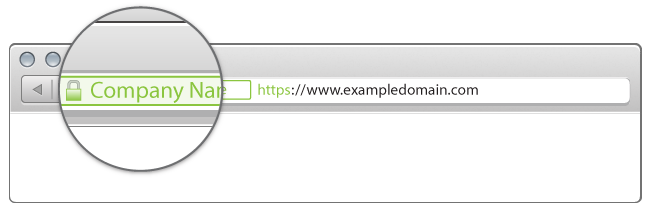
source: DigiCert
However, today you’ll have to click the lock icon to see if a website has a regular SSL Certificate or an entity validated one.
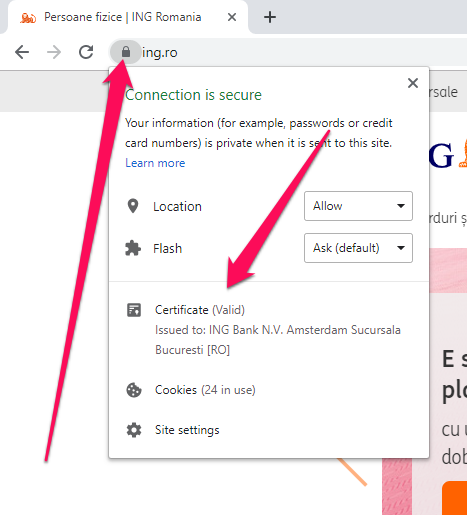
Considering the above mentioned, there isn’t much of a difference between free, regular SSL certificates and premium ones, at least not anymore. Very few users will check the certificate, if any (as long as the lock is green). However, if your business relies on security and trust, then you should consider purchasing a premium SSL Certificate. This will ensure no errors will happen.
Web Browsers come packed up with a bunch of public keys from certificate authorities. They check if the certificates have been signed with the proper private keys, therefore confirming that their identity has been verified by a trusted authority and not by some random certificate generator. If the certificate is expired or not valid, a red warning will show up.
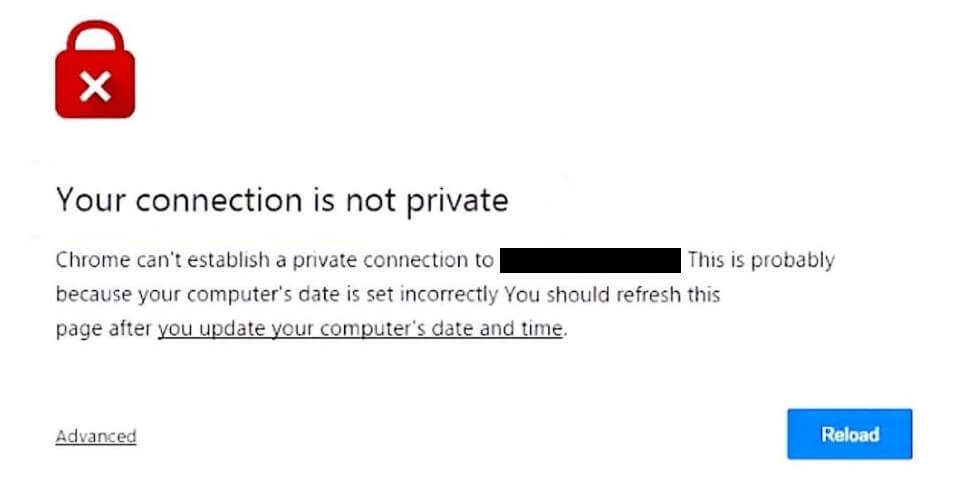
This will definitely turn the user down, so make sure that if you run through HTTPS, your certificate is valid and working properly!
It’s better to run through HTTP than to run through HTTPS with an expired SSL certificate!
After the identity of the website has been confirmed by the browser, the web server and the client then establish a secure communication channel. Asymmetric cryptography is used to send a symmetric key which only the server and the client know. Then, the communication channel is secure and any attempt to read the information which is passed between the server and client will require the decryption key.
So why is this so important? Why are people so crazy about HTTPS?
Well, when your users browse your website, they often send information, through contact forms for example. Without encryption, that information can be intercepted by what people call “Man in the middle.” Although contact forms only contain names and e-mails, things get worse when we’re talking credit card information or bank accounts and passwords.
By using an SSL Certificate, webmasters can improve the security of their websites and better protect their users’ information.
How Does HTTPS Affect SEO?
Now that we better understand what HTTP is, we can take a glimpse at its importance. There are multiple ways in which SSL Certificates and HTTPS can impact search engine optimization and Google rankings. Some of them are strictly algorithmic, while others can be less direct, but very meaningful as well. Let’s start with what we know for sure:
HTTPS as a ranking factor
First, you have to know that, theoretically, SSL Certificates do affect SEO. This is actually an official Google statement from 2014. They are considered a ranking factor, out wide in the open.
Why? Well, there are many reasons, but the main one is definitely security. If Google provides its users with better security, it provides better value and the users will be pleased. The fact that internet credit card fraud is on the rise definitely pushed Google into this direction.
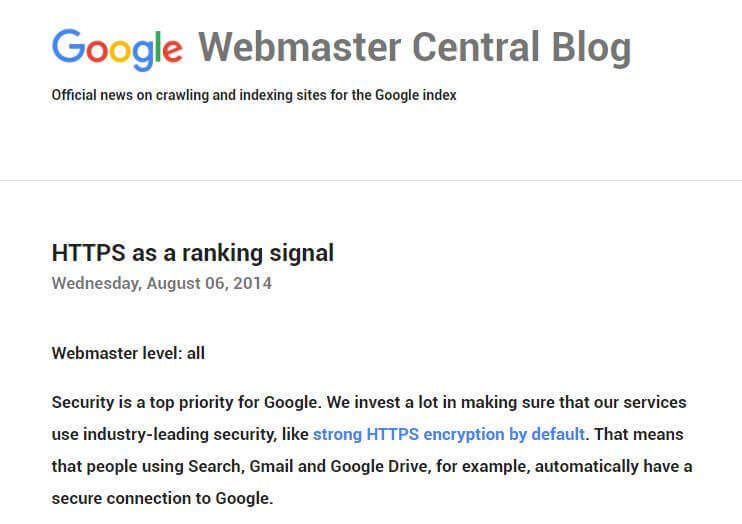
Google has tested its search results with HTTPS as a ranking signal and has seen positive feedback. This could also mean that webmasters that take security seriously might generally present better websites. They care about the users.
Although this impact is fairly small, affecting less than 1% of websites, many webmasters have adopted HTTPS. Not long ago, less than 10% of websites were secured with an SSL certificate. Now, more than half of all websites are probably secure.
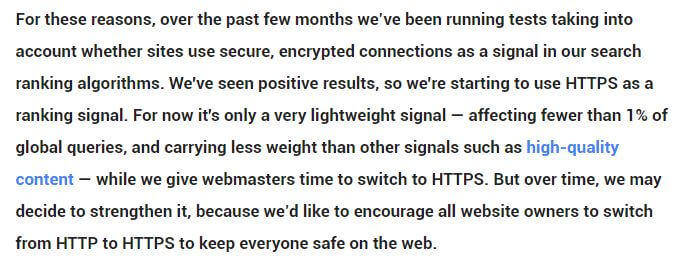
Why didn’t Google do this earlier? Well, to be honest, I think it’s because it would’ve been a little bit unfair. Back in the day, SSL Certificates were not so easy to obtain and some of them were quite expensive. Today, however, almost anyone can secure their website with a free one. This means that money won’t really have a say in this.
Quick Tip: Basic SSL Certificates can be obtained for free. If you’re just starting out, don’t spend unnecessary money. Keep reading to find out how to get one!
This HTTPS SSL Certificates update is one of the weaker ranking signals in Google’s algorithm. Let’s say that… adding HTTPS won’t get you an SEO ranking boost, but not adding it might affect your Google rankings over time.
Why?
Well, it’s because internet users will trust it less and they will leave it quicker. Your conversions will drop. These are all ranking signals that the site isn’t doing well, which Google translates into “I should rank this unsecure site lower and reward a website with a secure connection instead.”
The truth is that a modern, dynamic website can’t work well without HTTPS.
User’s trust
Another way in which SSL Certificates could affect SEO is related to the user experience. Some internet users might have no clue what’s happening, but others prefer to browse websites that are secure. This is where an Extended Validation SSL might come in handy. Here’s the difference between a regular, Domain Validated SSL Certificate and a more expensive Extended Validation SSL Certificate.

Regular Domain Validated SSL Certificate (easily obtained for free)

Extended Validation SSL Certificate (more expensive)
Starting with Chrome Version 68 (24th July 2018), the browser now shows the warning Not Secure when you access a website through HTTP. Users will now definitely ask themselves more questions when seeing that message instead of just the Information icon.

Screenshot from the Chromium Blog
Who knows, in the future you’ll probably going to see a red warning, just like the one with invalid SSL certificates. That day has not come yet, but it’s probably not far!
GDPR issues
It’s obvious that people are more and more interested in the safety and privacy of their personal information, especially when it comes to websites. Just imagine a breach into Facebook’s servers! You would know EVERYTHING about EVERYONE. Now I know, Facebook is already selling that data to whoever pays good, and you’ve accepted all the terms at signup. But when it comes to security, websites like Facebook are pretty solid.
Still, maybe a picture of what you’ve eaten this morning isn’t so concerning if it gets hijacked and stolen, but your credit card information when you’re making payments on ecommerce websites is!
As of May 25th 2018, GDPR has had a huge impact on websites. GDPR specifies that any personal data should be handled securely. This forces webmasters that have even the smallest contact form to switch their website from HTTP to HTTPS to ensure the security of their users’ personal data.
So, not only can it benefit your SEO rankings if you switch to HTTPS, but it might also get you a fat fine if you don’t. Although usually you will see some ranking boosts, if you mess up your redirects and don’t implement HTTPS correctly, your entire site can drop from the search engine results. Make sure you know what you’re doing before you start.
Does HTTPS Affect Website Performance?
Ok, now we know how HTTPS affects websites from a search results perspective. But how does it affect a website technically? Will it affect its performance? Will the site be slower?
Well… theoretically… yes. You can expect a delay of about 0.1 seconds compared to regular, unsecured HTTP requests. However, it really depends on your server’s performance. Most servers today are fast enough to handle SSL Certificates and HTTPS. You won’t notice the difference.

Using services such as CloudFlare (3rd Party SSL implementation) will probably result in a slower PageSpeed Insights score, but it can be fixed with plugins such as WP Rocket.
However, the small hit in loading time and virtual points generated by some tool is far from outweighing the benefits of having a secure site connection.
How to Switch from HTTP to HTTPS
Switching from HTTP to HTTPS can be a hassle, especially if you’re not running on a popular CMS, like WordPress. However, you can take a look at the following guide to make sure you don’t make some of the biggest mistakes.
Acquire & Install an SSL Certificate
The first step is to acquire an SSL Certificate and install it. You might already have one, even if your website isn’t already running on it. Some hosting providers also offer free SSL Certificates. To find out, just go to https://yourdomain.com instead of the regular HTTP. If you see a red warning, you probably don’t have one (or it has expired). Then, just click the Information icon:
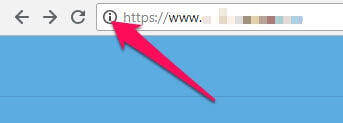
If the popup says Certificate: Valid then you have an SSL Certificate. Click it to see more details about it, such as for how long it is valid. If you don’t see the word Certificate there, then you probably don’t have one.
You can get an SSL Certificate anywhere. Just search Google for SSL Certificate and you’ll find plenty of providers. Search for the best deal and also look at user reviews. You should also be able to purchase certificates directly via the cPanel on your server, if you’re looking for an EV Certificate, for instance.
However, for most people, a Free SSL Certificate is most likely the best way to go. A really easy way to do that is by using CloudFlare. Instead of using your server, CloudFlare uses its own servers to secure your connection.
To activate CloudFlare, you’ll have to create an account and register a website. Setup is usually automatic, but they have step by step instructions as well. After that you’ll have to login to your Domain Registrar and add CloudFlare’s nameservers instead of your server’s.
This way, the traffic will first pass through CloudFlare’s firewalls, which will secure the connection and will ensure hackers stay out.
One downside (at least for the free version) is that when their servers are under heavy load, your site might load slower. You can fix this with WP Rocket, though. You have a special section for CloudFlare settings there. I’ve been using it on websites for years, and I can say the free version is awesome and the websites are fast.
If CloudFlare isn’t the thing for you, you can also try Comodo or Let’s Encrypt via Zero SSL. We’ll go with the Zero SSL example.
First you’ll need a signing request from your server’s cPanel. If you don’t know how to get one, ask your hosting provider. You’ll find that under the SSL section. Just add the details for your website and a request will be generated. You can download it as a file.
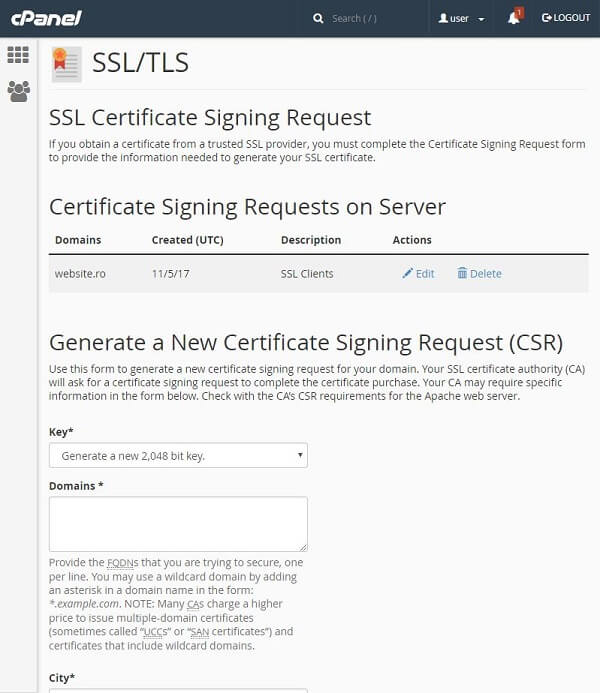
Then you have to upload it to Zero SSL. The website provides step by step instructions.
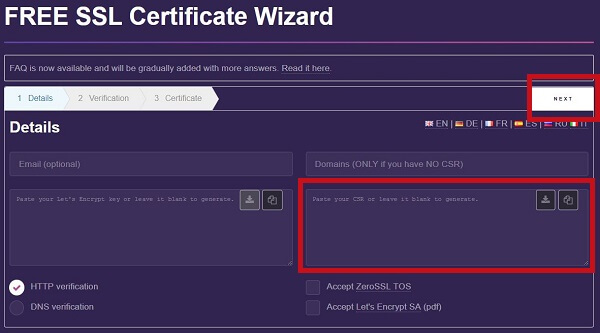
You’ll have to provide some sort of verification, most of the time by uploading a file on your web servers (just like with Google Analytics or Google Search Console). They usually provide step by step guides on how to verify your identity. There’s more than one method, so pick the one that’s easiest for you.
Once you get the certificates, you’ll have to install them in your cPanel in the SSL Certificates section (Generate, view, upload, or delete SSL certificates). The process is pretty simple. Just scroll down and add the certificate.
After installing the certificate, you should be able to access your website via HTTPS.
Add HTTPS Version to Search Console
The next step is to go to your Google Search Console and add the HTTPS version of your website. You can also set the preferred version, but I highly recommend that you let Google choose for now and only do this after you’ve successfully implemented the HTTPS.
You should also make sure that the Google Analytics or any other web analytics software you’re using are also able to track HTTPS from now on.
Set up 301 redirects
Warning: This is the crucial step. If you don’t redirect properly, your SEO rankings will drop! Why? Because Google will have to deindex the old HTTP site and index the HTTPS one, without having any idea that they’re actually connected. Also, users that land on HTTP versions (from old backlinks for example) will never get to see the HTTPS version.
To redirect from HTTP to HTTPS, you can either use a plugin or do it via the server. If you’re running on Apache Web Server, you can set the redirects via the .htaccess file. However, it’s a little technical and, depending on other functionalities, conflicts may occur.
If you’re running on WordPress, you’re lucky! You can use the Really Simple SSL plugin and it will do everything for you (set up 301s, change main domain to HTTPS and change all the links from the database to HTTPS).

Really Simple SSL WP Plugin
So make sure that all HTTP versions will properly redirect to their HTTPS counterparts. Take into account www, non-www, slashed vs non-slashed and parameters.
Here you should also change the main URL of your website to HTTPS. This is usually done in some sort of configuration file. In WordPress, it can be changed in the General Settings area. The Really Simple SSL plugin will do this for you, anyway.
Note that some platforms might not fix all the URLs. It is mandatory that each URL properly 301 redirects to its new HTTPS counterpart. So http://www.domain.com becomes https://www.domain.com and http://www.domain.com/page-1 becomes https://www.domain.com/page-1.
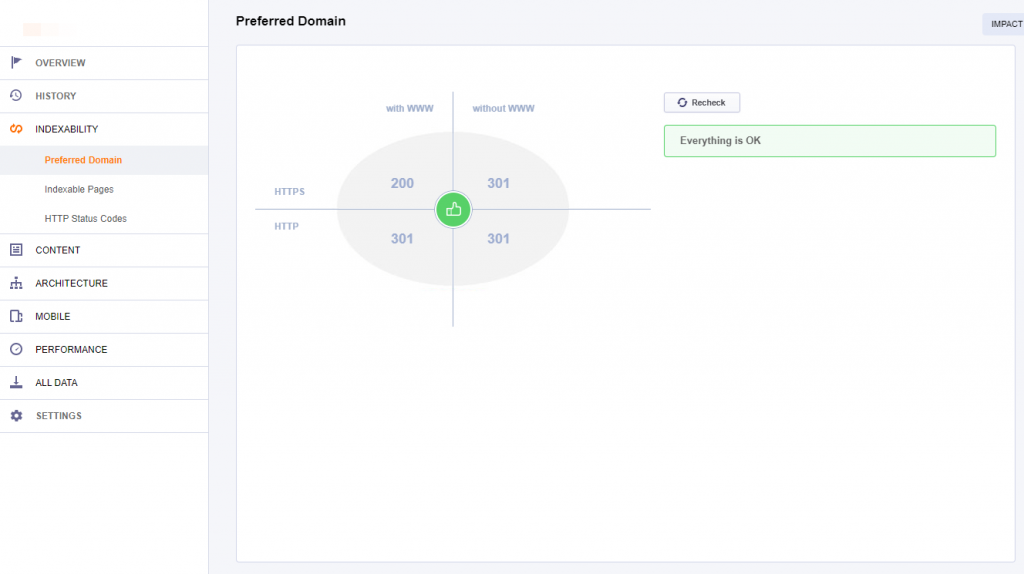
You should make sure that all other variants of your website redirect to a single one, with HTTPS, be it WWW or non-WWW. This is called a Preferred Domain Version. It’s best if the redirects don’t happen in chain. So instead of having http://domain.com > http://www.domain.com > https://www.domain.com it should be http://domain.com > https://www.domain.com and http://www.domain.com > https://www.domain.com.
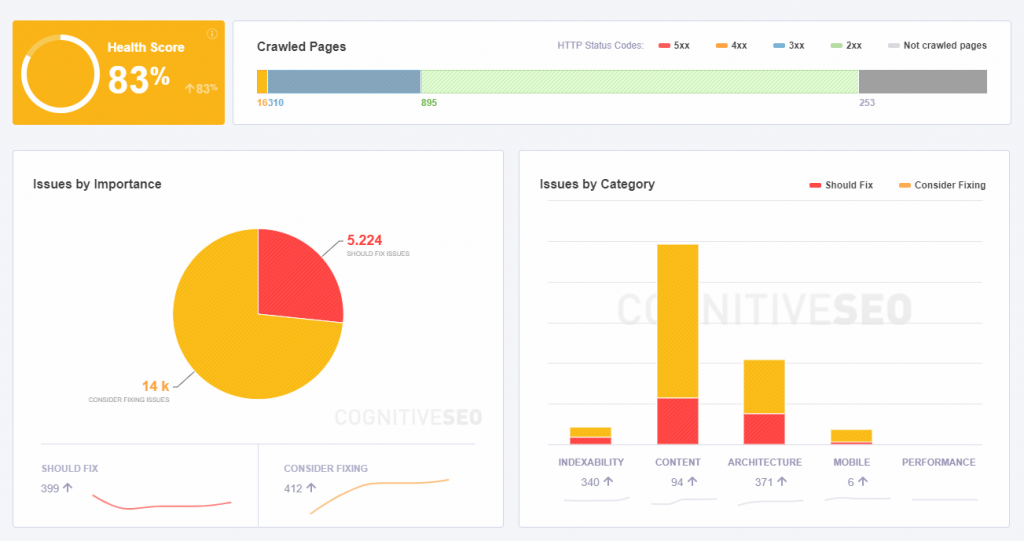
You can check that quickly with the CognitiveSEO Site Audit. Go do Indexability, then Preferred Domain.
Change All Internal Links
Even if you change your main URL to HTTPS, some static content might stay unsecured. You have to make sure you fix this, otherwise some issues may occur.
Canonical Tags: Canonical tags are often forgotten. If you’re running through HTTPS and your canonical tag points to the HTTP version, Google will think that it has to index HTTP. The problem is that if HTTP 301 redirects to HTTPS then Google will get into a loop and it won’t be very pleased.
To find out if your canonical tags are properly set up to HTTPS, press CTRL + U while on your website in Google Chrome to view the site’s source, then search for canonical with CTRL + F.
Hreflang: Same thing as with canonical tags, the hreflang tags should point to the correct HTTPS counterpart, even though 301 redirects are in place. Make sure you check that in the source of the site.
Internal links: If don’t change the links from HTTP to HTTPS, you’ll get a mixed content warning (we’ll discuss this in more detail below).
Most of the times, this won’t happen when you’re using a popular Content Management System, but it can often happen on custom platforms and the effects can be devastating. Make sure everything is in order.
Other things that should be taken into account are XML sitemaps, external tools and e-mail systems (that might’ve run through unsecured channels).
Fix Mixed Content Issues
Many times, after implementing SSL on your website, you will get an exclamation mark instead of a green lock, or might even get the red lock. This error is caused by Mixed Content.
Mixed content actually means that some resources on your website load through HTTPS, but others load through HTTP. When you click the lock icon in the browsers, you should see a message as follow:
Your connection to www.xyz.xyz is encrypted with 256-bit encryption. However, this page includes other resources which are not secure. These resources can be viewed by others while in transit, and can be modified by an attacker to change the behavior of the page.
If you have mixed content, the green lock and secure message won’t appear, even if you have a valid SSL certificate installed.
Update: Starting from December 2019, Google will block mixed content pages, meaning they will show up as unsecure!
To fix this issue, you must identify the resources on your website that are loaded through HTTP and force them to load through HTTPS.

Evil SEO Cactus Mixing Some Content
There are multiple causes that can generate mixed content warnings:
Static links in pages:
Maybe you’ve written an article an linked to a page of yours through an absolute URL. Absolute URLs look like this http://www.cognitiveseo.com/pricing.php while relative ones are just /pricing.php. Relative URLs change automatically, but absolute ones don’t.
You might have also linked to an external site’s image. Since the resource loads through HTTP, it isn’t secured.
Unfortunately, these links won’t change unless you update them manually, as they might not be linked to the platform’s URL generation. In WordPress’ case for example, they don’t change.
You can always try a plugin that fixes mixed content such as SSL Insecure Content Fixer. However, they do not always work.
Another good way of trying to fix everything quick is to download your Database and edit it with a tool such as Notepad++. Then you can find and replace every HTTP instance with HTTPS (start with your own domain first and then expand to external ones).
Warning: Make sure to have a backup of your original database, before any replacing is done.
Mixed content from CSS files:
Sometimes, web design elements such as CSS files can also contain static resources (images) that load through HTTP. Those are a little harder to identify because they can’t be found within the source code of the page (unless the CSS is generated in-line).
Old themes often create this mixed content issue, due to the fact that once upon a time, using HTTP was fine.
A good way of identifying hidden mixed content is to use Google Chrome’s Inspect Tool. Hit CTRL + Shift + I on your keyboard (or hit right Click > Inspect) while browsing a page with mixed content issues. Then you have to go to the Network section. If you press F5, you’ll see all the resources loading.
There you can identify which resource is loaded through HTTP and causes an error. Under the Initiator column you can find the file that is responsible, such as the CSS file. Proceed to edit the CSS file from your server and replace HTTP with HTTPS. Note that if this fix isn’t patched into the Theme itself, updating your theme will overwrite the modified CSS file with the one with problems.
However, this method is time consuming and you won’t be able to analyze every page! You can use the CognitiveSEO Site Audit to speed up the process.
If you’re looking to quickly identify all the mixed content issues on your website you can always check out the CognitiveSEO Site Audit‘s Mixed Content section.
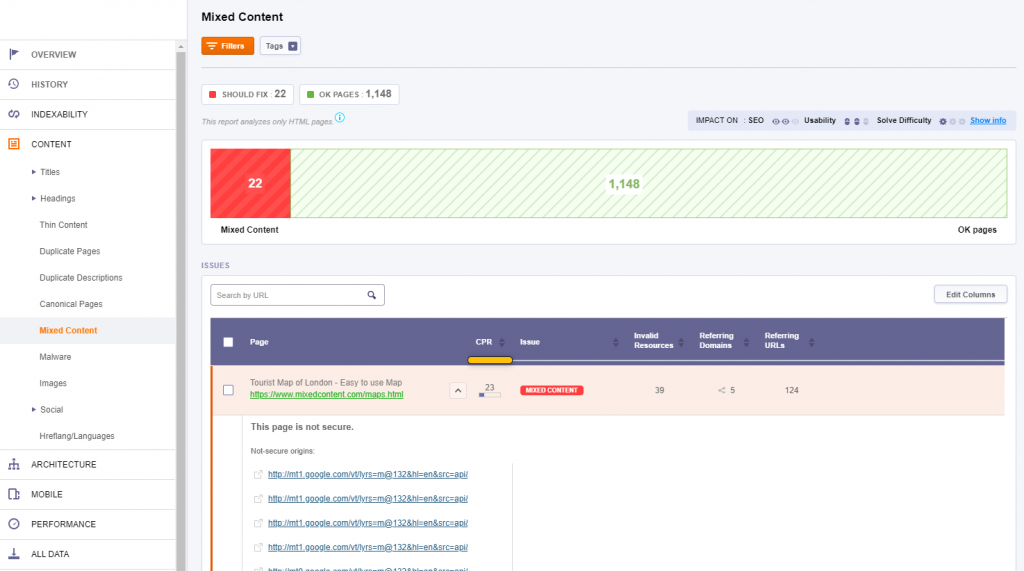
Once you fix things, make sure to recrawl the pages in the tool to see if you’ve missed anything.
Make Sure Everything Works Properly
Switching to HTTPS can often cause issues with plugins, APIs and other functions within the website. Make sure you browse your website properly for a couple of hours and test every segment of it. Access every page to see if it loads and test if the contact forms, online orders and filtering/search features are working properly.
You can also now set HTTP as your preferred version in Google Search Console. WWW vs. non-WWW is irrelevant, but non-WWW tends to be shorter, so there will be more space for the URL when it shows up in Google. However, if you’ve been running on WWW so far, it’s a good idea to keep the WWW even with HTTPS.
Resubmit Disavow File & Change Your Backlinks
Many forget that they have to resubmit the disavow files. If you have ever suffered from a negative SEO attack you must download the disavow file from the HTTP version in Google Search Console and upload it into the HTTPS version. Although the 301 redirects are in place, it’s really important not to forget this step!
A final step would be to change as many of your old backlinks as possible from HTTP to HTTPS. Even with the 301 redirects in place, a small percentage of the link equity might be lost. Start with your social media profiles and backlinks you know you can change for sure in very little time.
It’s not worth it to spend countless hours and e-mail everyone to switch your URL from HTTP to HTTPS, but if you have some way of managing it faster, it’s worth a shot. Gather a list of your contacts on social media and blast them a message asking them to replace the HTTP backlinks with the new HTTPS ones.
Conclusion
Merging from HTTP to HTTPS can help you improve your search rankings. We can’t really go as far as to say it boosts rankings, but even if it doesn’t have any effect on your website right away, you’ll definitely see an improvement over time thanks to a better user experience.
To be honest, the only downside of implementing HTTPS on your website is the fact that it’s a little bit of a tricky process. However, once you get over it and implement it correctly, nothing bad can happen. Your site is safer, your information is safer and your user’s information is safer and that peace of mind is priceless.
What’s your experience with HTTPS and SSL Certificates? Have you encountered problems when merging your domain from one version to another? Have your rankings increased/decreased? Which SSL Certificate provider are you using? I’m curious. Let’s talk about it in the comments section!
The post HTTP to HTTPS Migration Guide | Do SSL Certificates Affect SEO? appeared first on SEO Blog | cognitiveSEO Blog on SEO Tactics & Strategies.
HTTP to HTTPS Migration Guide | Do SSL Certificates Affect SEO? posted first on
http://nickpontemarketing.tumblr.com/

 Think that the Pilgrims ate turkey and pumpkin pie at the first Thanksgiving? Here's the real story based on an awesome holiday content marketing campaign. Includes 5 actionable tactics.

 Want to improve your B2B marketing? Understand the New B2B Purchase Process & what it means for your business & customers. Includes research & charts.